Roblox Avatars
MetaPerson Creator lets you create and export Roblox‑compatible avatars that can be imported into Roblox Studio and used in your experiences.
Getting started
Follow these steps to generate and import a Roblox avatar:
- Choose an image, enable the Roblox‑ready option, and Generate the avatar.
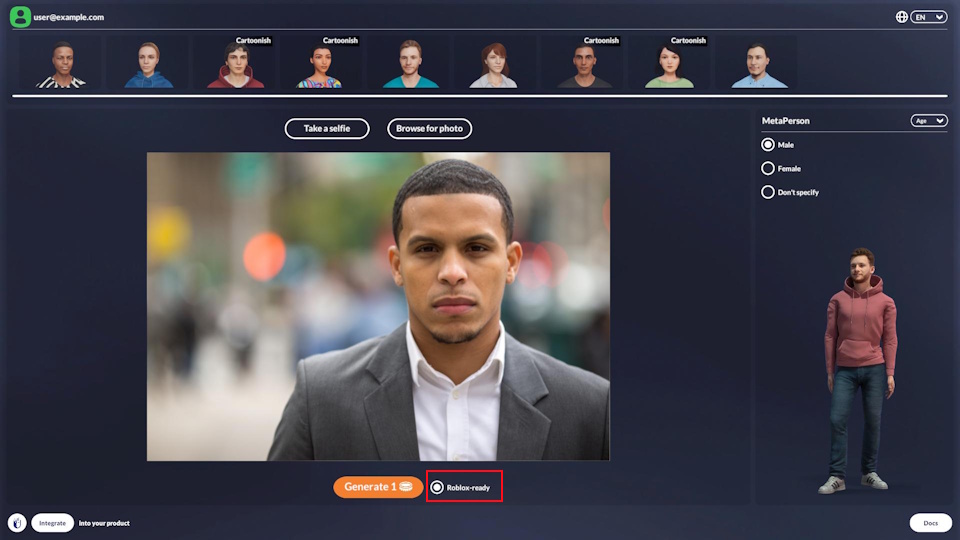
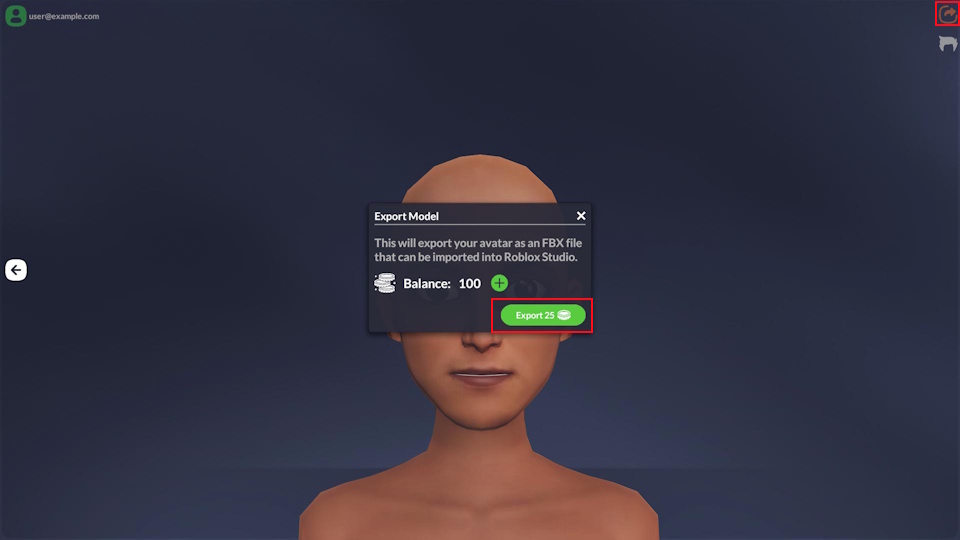
- Export the avatar. The FBX model download will start after export completes.
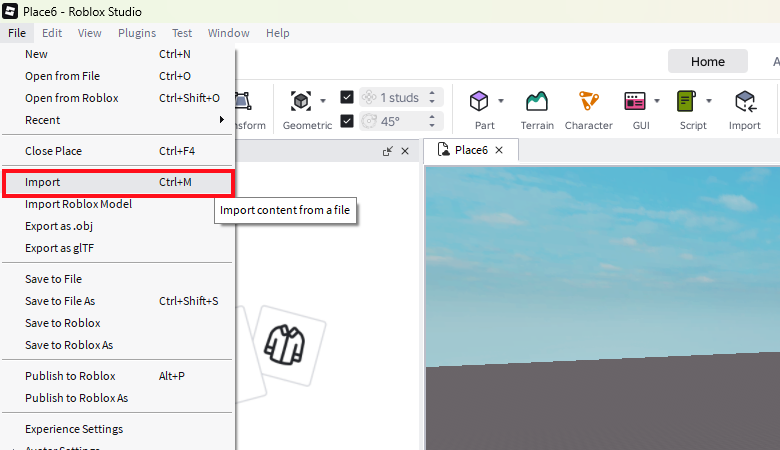
- Open Roblox Studio and import the downloaded FBX file.
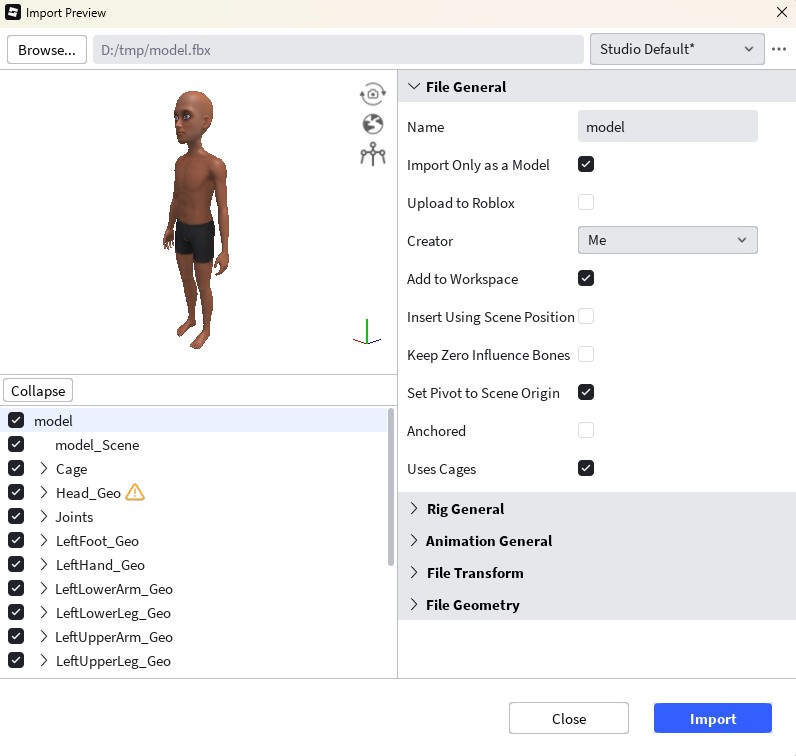
- In the Avatar Setup window, customize the model and press Test in Experience button.
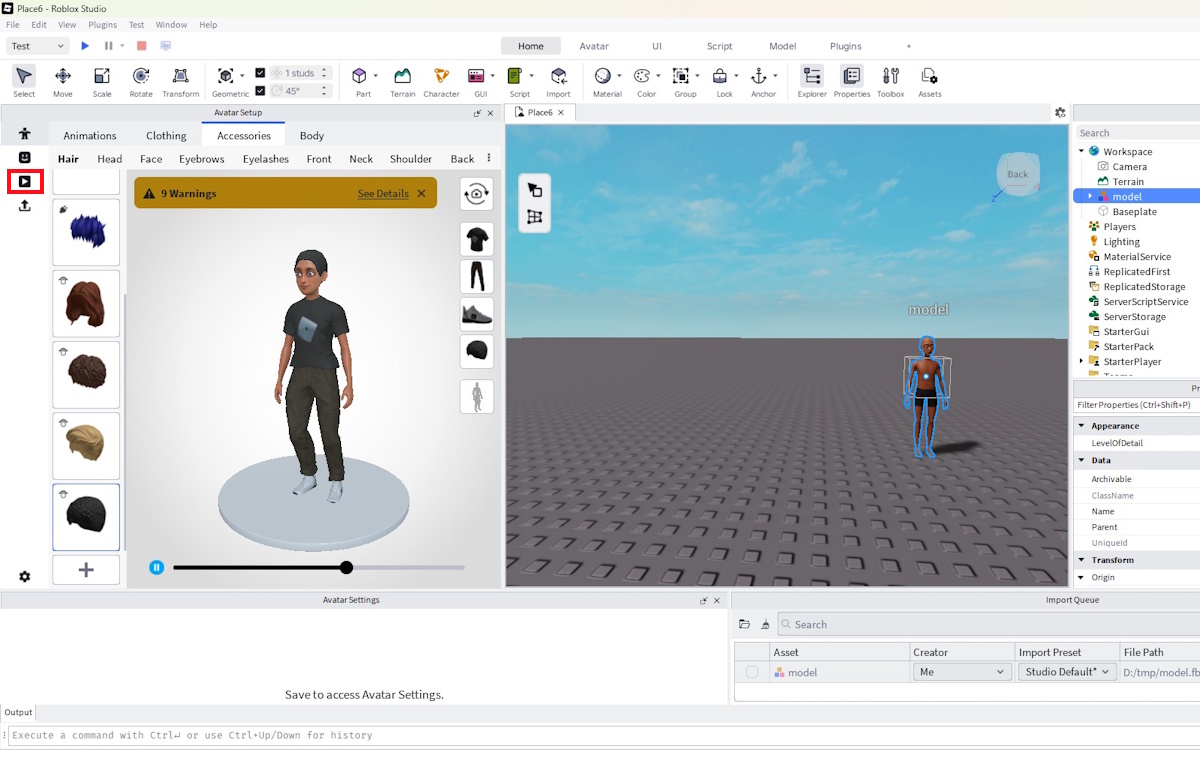
- (Optional) Copy configured assets such as clothing and hair.
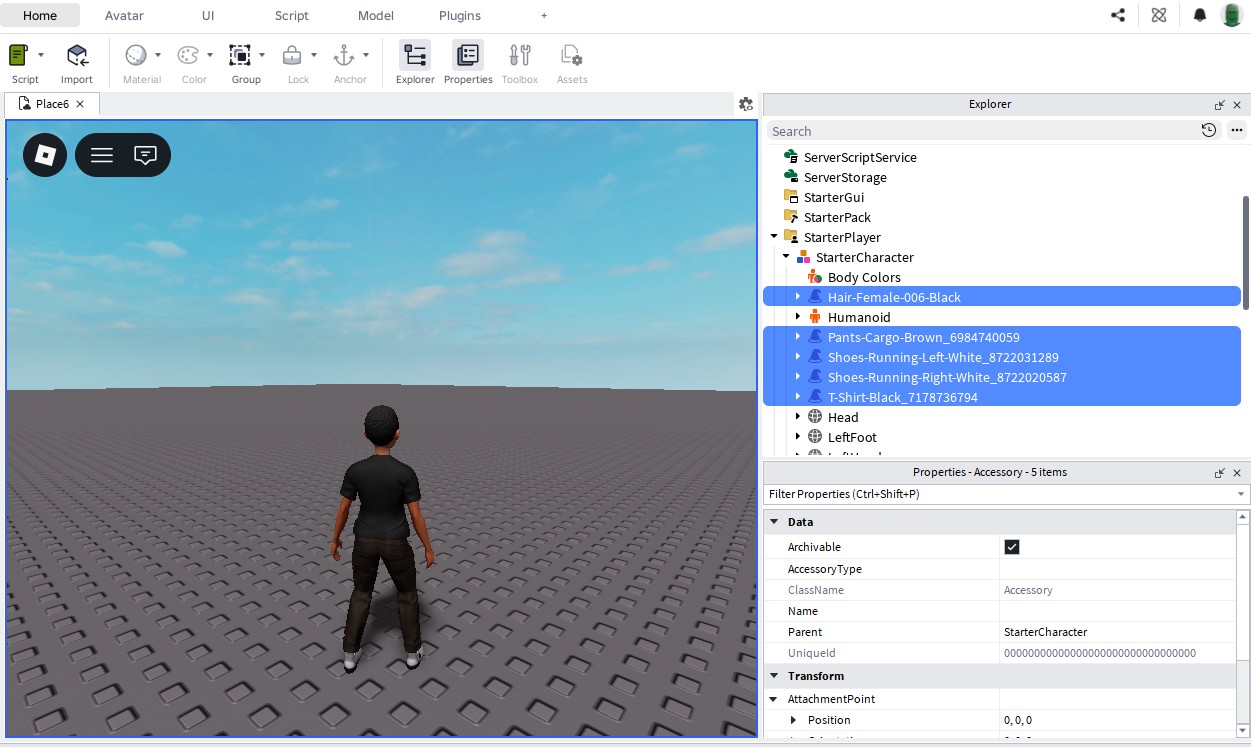
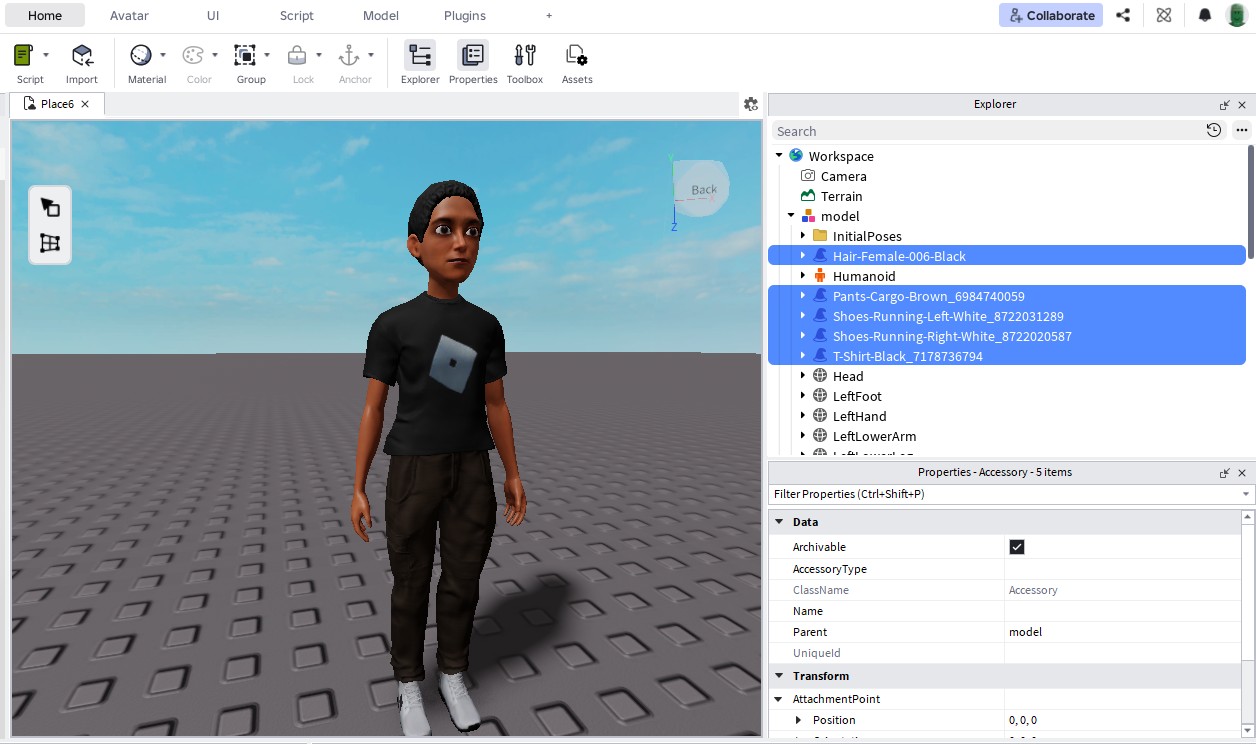
- Stop the experience and paste the copied assets onto the imported model.
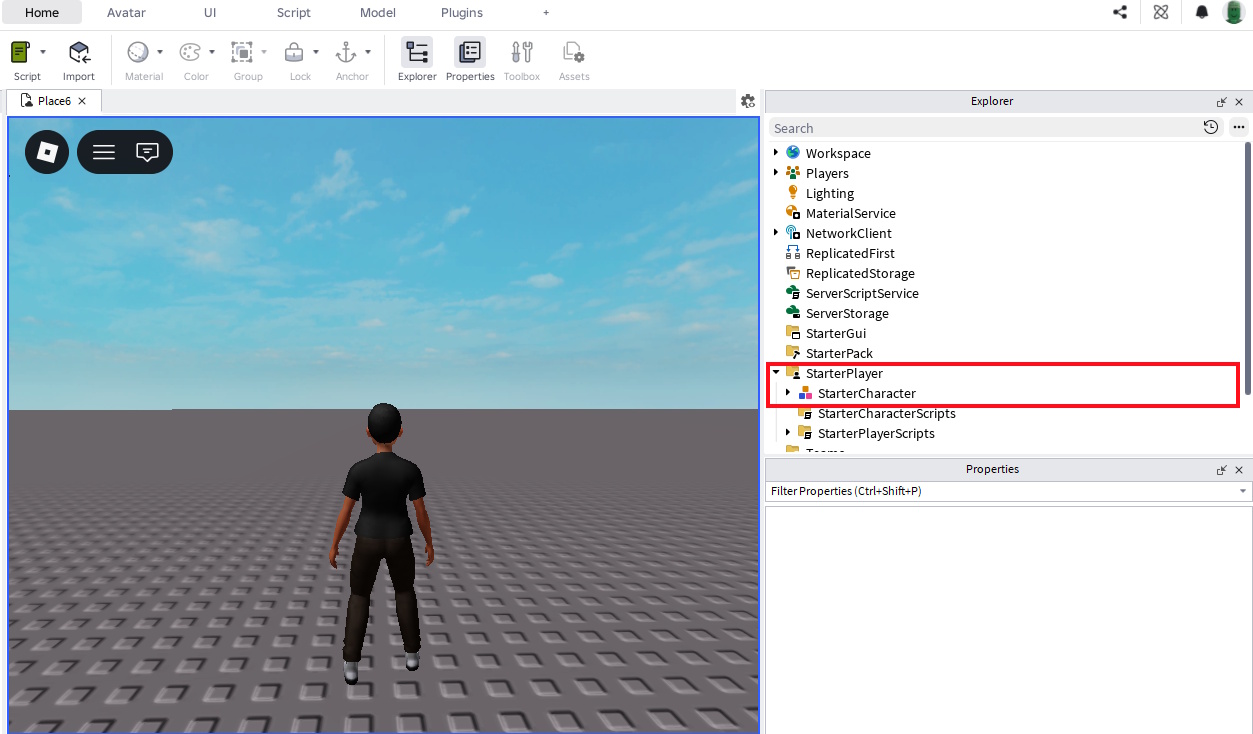
- To use the model as the player's character, rename it to StarterCharacter and place it under the StarterPlayer in the Explorer.
Support
If you have issues or questions, contact the MetaPerson Creator support team at support@avatarsdk.com.