Avatar SDK Move
Avatar SDK Move generates a 3D character animation from a text description. You type what the character should do, the animation is generated in the cloud, and it arrives as a Humanoid clip ready to play on your avatar. There is no motion capture, no suit, and no browsing through an animation library for something close enough.
Unlike the third-party services described in this section, Move is our own technology, so it works with MetaPerson avatars without any conversion or retargeting setup on your side.
Two ways to use it
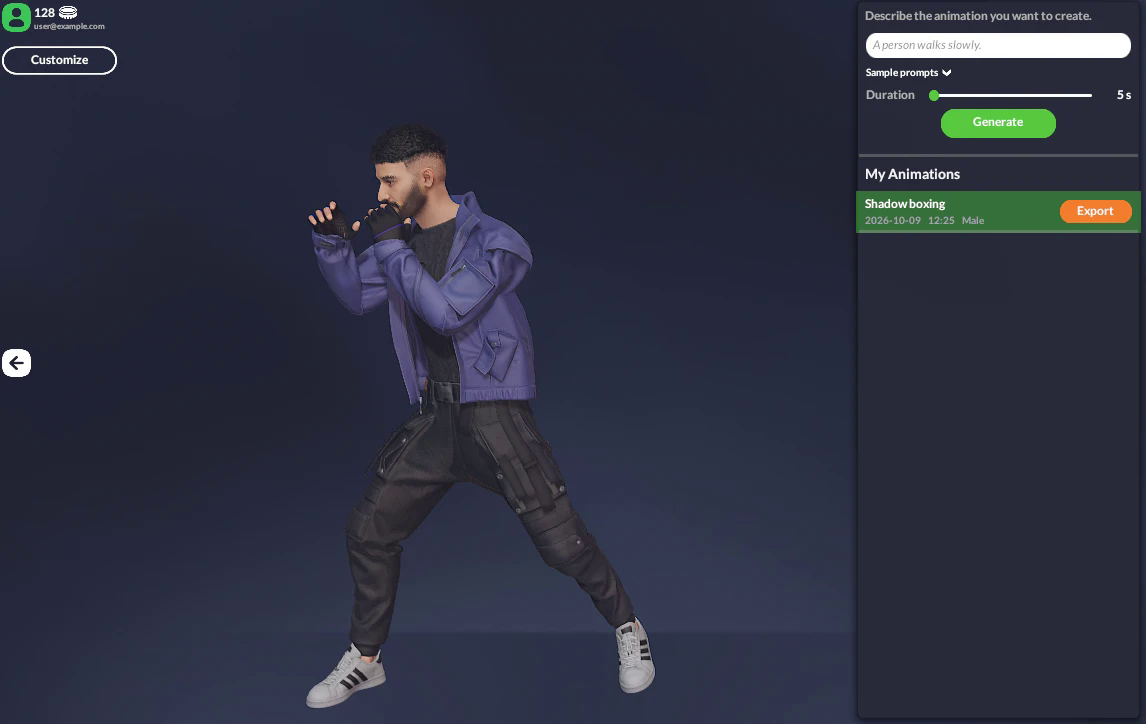
In the web editor. Open MetaPerson Creator, select your avatar and describe the movement you want. The animation is generated and previewed on your own avatar, and you can export it together with the model. See the Avatar SDK Move product page for product details.
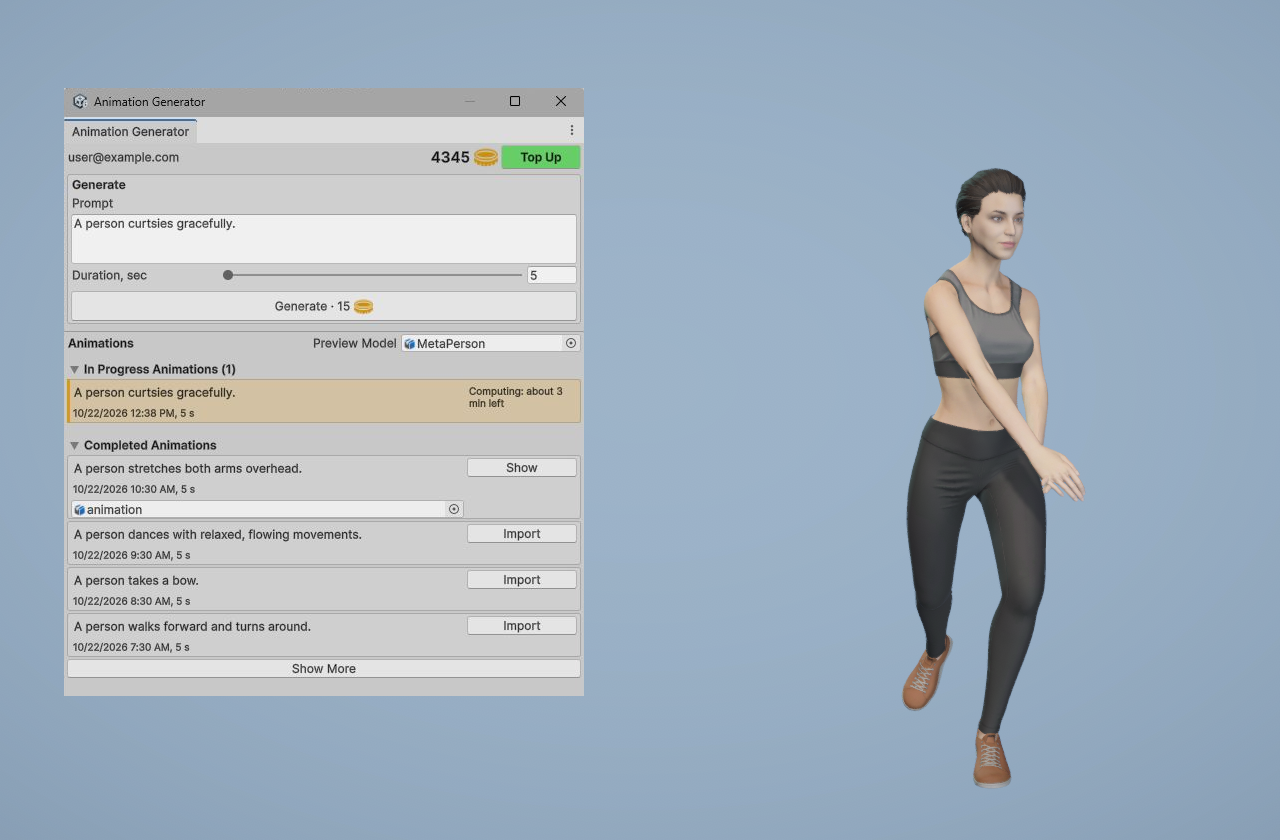
In Unity. The Move Unity plugin brings the same pipeline into the Unity Editor and into your running application — see that page for installation, the Editor workflow and the runtime API, and the plugin page on avatarsdk.com for product details and licensing. In the Editor you build a library of clips as project assets; at runtime your application can generate animations on demand, so the people using your app can describe the movement they want and watch it play. Generation takes a few minutes.
await animationGenerator.Generate(targetModel, prompt, duration);
Works with any humanoid model
Move animates any character that Unity maps as Humanoid, so bone naming conventions do not matter. Retargeting is not a naive rotation copy: each bone is transferred as a delta from its rest pose, so proportions and skeleton orientations that differ from the source still read correctly. Root motion is scaled to the character's hip height, which means a tall character and a short one both travel a sensible distance.
In the Editor animations arrive as FBX and are imported as standard Unity Humanoid clips you can use anywhere in your project — Animator Controllers, Timeline, blend trees. At runtime they are delivered as GLB and applied directly to the character, which is what lets the whole flow run in a WebGL build.
Requirements
- Unity 6000.0 or newer
- Windows, macOS, Linux, WebGL, Android and iOS
For questions about Move, contact us at support@avatarsdk.com.